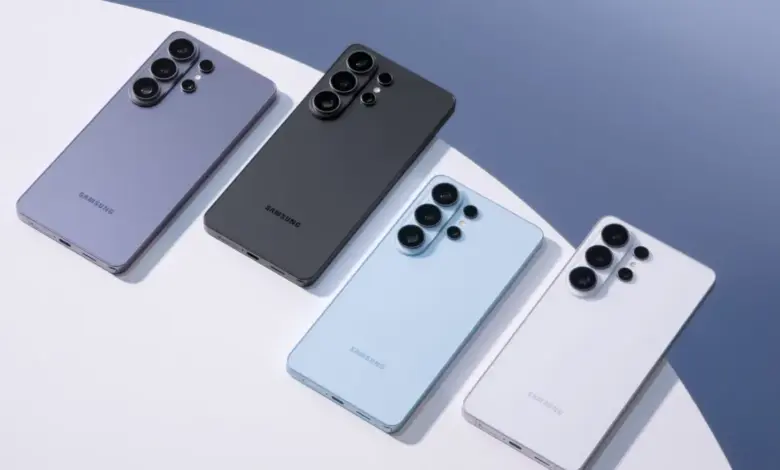
Samsung Galaxy S26 Airdrop is now rolling out through Quick Share, marking the first phase of direct file sharing between Galaxy S26 phones and iPhones. The update begins in South Korea and will expand to other markets, but it requires specific software components and settings to function.
Current State of Play: What Happens When Samsung Galaxy S26 Airdrop Arrives?
Samsung is adding AirDrop support to its Galaxy S26 phones by extending Quick Share compatibility with iPhones. The rollout starts in South Korea and is scheduled to expand to North America, Latin America, Europe, Hong Kong, Japan, Southeast Asia, and Taiwan. Samsung plans to add the same AirDrop compatibility to devices beyond the S26 series at a later date, though the exact models have not been announced.
Quick Share’s evolution is documented in the product’s timeline: it debuted on the Galaxy S20, later merged with Google’s Nearby Share in 2024 to widen availability to non‑Samsung Android devices, ChromeOS, and Windows PCs, and gained AirDrop compatibility on the Pixel 10 series in 2025. For Galaxy S26 users, enabling cross‑platform transfers requires toggling “Share with Apple devices” in Settings under Connected devices → Quick Share.
Forces of Change: What Needs to Align for Samsung Galaxy S26 Airdrop to Work?
The rollout is shaped by two technical gates and a regional deployment plan. First, a Google Play Services update is a prerequisite: devices must run Google Play Services version 26. 11. XX or higher. The widely deployed build at the moment is 26. 10. XX, while 26. 11. XX is available on the stable track and expected to propagate to devices over time. Second, there appears to be an additional server‑side or rollout control beyond the Play Services client that can prevent a device from seeing iPhones even when the Play Services version is up to date.
Practical implications for users: checking the Google Play Services listing in the Play Store will show available updates; sideloading is technically possible but carries risks. Early testing found that updating Play Services did not guarantee immediate visibility of iPhones or Macs, indicating phased activation or regional gating is in effect. In at least one market, support will not begin until later in the week after the initial launch window.
Scenarios, Winners and Losers: What Happens Next?
- Best case: Play Services updates propagate quickly, server flags flip, and Quick Share interoperates with iPhones broadly. Cross‑platform sharing becomes seamless and familiar for users across regions.
- Most likely: Staggered rollouts and version fragmentation mean pockets of users gain functionality earlier than others. Troubleshooting will focus on Play Services versions and the Quick Share setting for Apple devices.
- Most challenging: Persistent server gating combined with regional delays and version mismatches leave many S26 users unable to see iPhones despite following the update steps, slowing adoption and creating support friction.
Who wins and who loses is straightforward: users with updated Play Services in regions included in the first wave stand to gain immediate convenience; device makers and platforms that already supported cross‑platform sharing benefit from wider interoperability; users in regions scheduled for later rollout or on older Play Services builds will experience friction.
For readers: check the Quick Share setting for “Share with Apple devices” and monitor Google Play Services updates in your Play Store listing. Avoid unsafe sideloads and be prepared for a phased availability that may depend on both client and server components. Expect support to expand beyond the S26 series over time, but do not assume instant universal availability.
The most important practical takeaway is simple: confirm your Quick Share setting and ensure Google Play Services reaches 26. 11. XX or higher, then wait for regional activation as the Samsung Galaxy S26 Airdrop